Scanning a barcode
Last updated: June 25, 2026
Point your camera at any product barcode and get an instant BEST / GOOD / CAUTION / AVOID verdict for each of your children.
Overview
Scanning is the fastest way to check a product. GreenCheck reads the barcode, looks the item up, analyzes its ingredients, and grades it against every child you’ve added — all in a few seconds.
Open the scanner
- 1Tap “Scan a product”From the Home screen, tap the green Scan a product button, or the center Scan button in the tab bar.
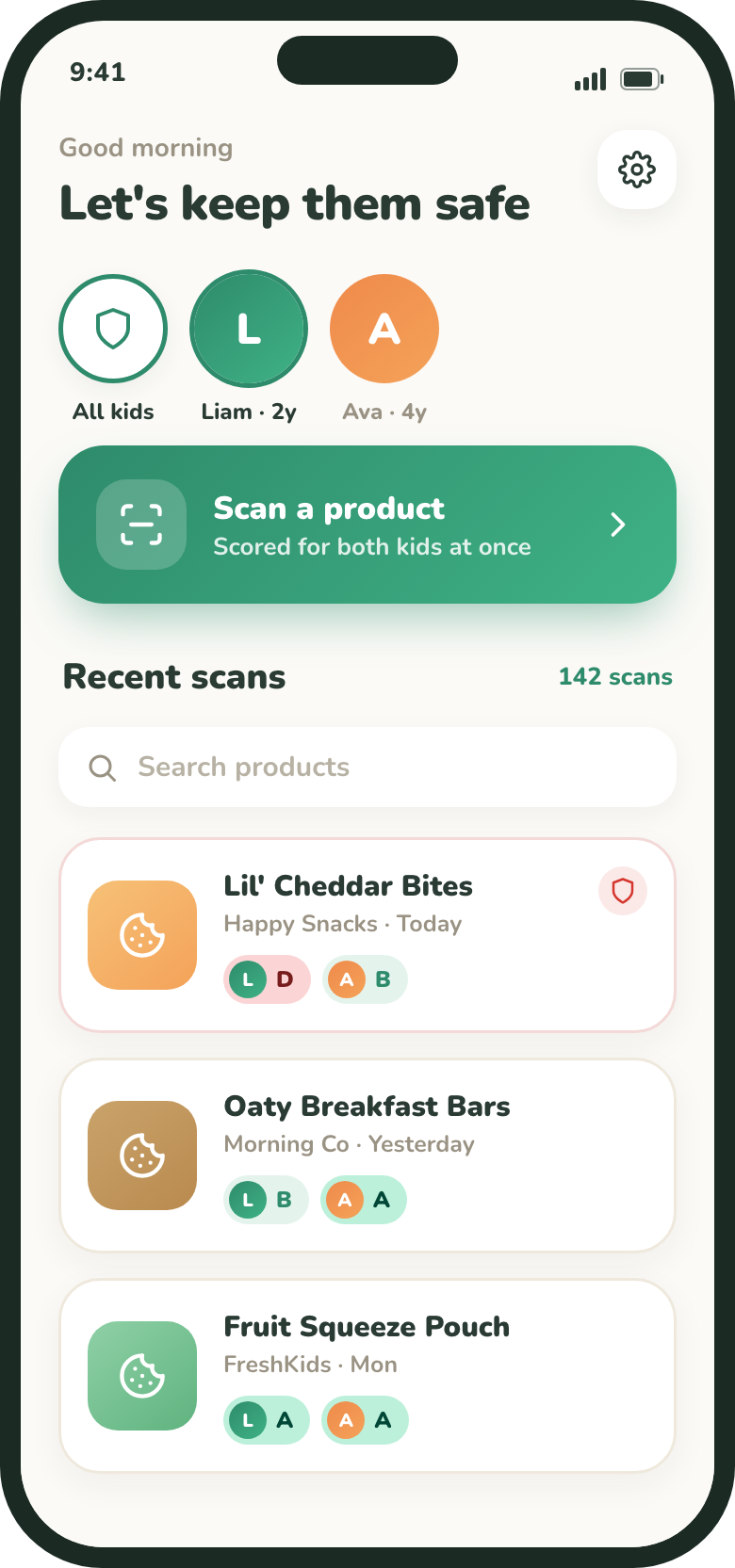
The Home screen — tap “Scan a product”. - 2Choose which kidsAt the top of Home, tap a child’s avatar to scan just for them, or leave All kids selected to score for everyone at once.
- 3Allow camera accessThe first time, GreenCheck asks for permission to use the camera. Tap Allow. You can change this later in your phone’s Settings.
Scan the barcode
- 1Stay on the Barcode tabMake sure Barcode is selected at the top of the scanner.
- 2Line up the barcodeHold your phone steady and center the barcode inside the frame. Scanning is automatic — there’s no button to press.
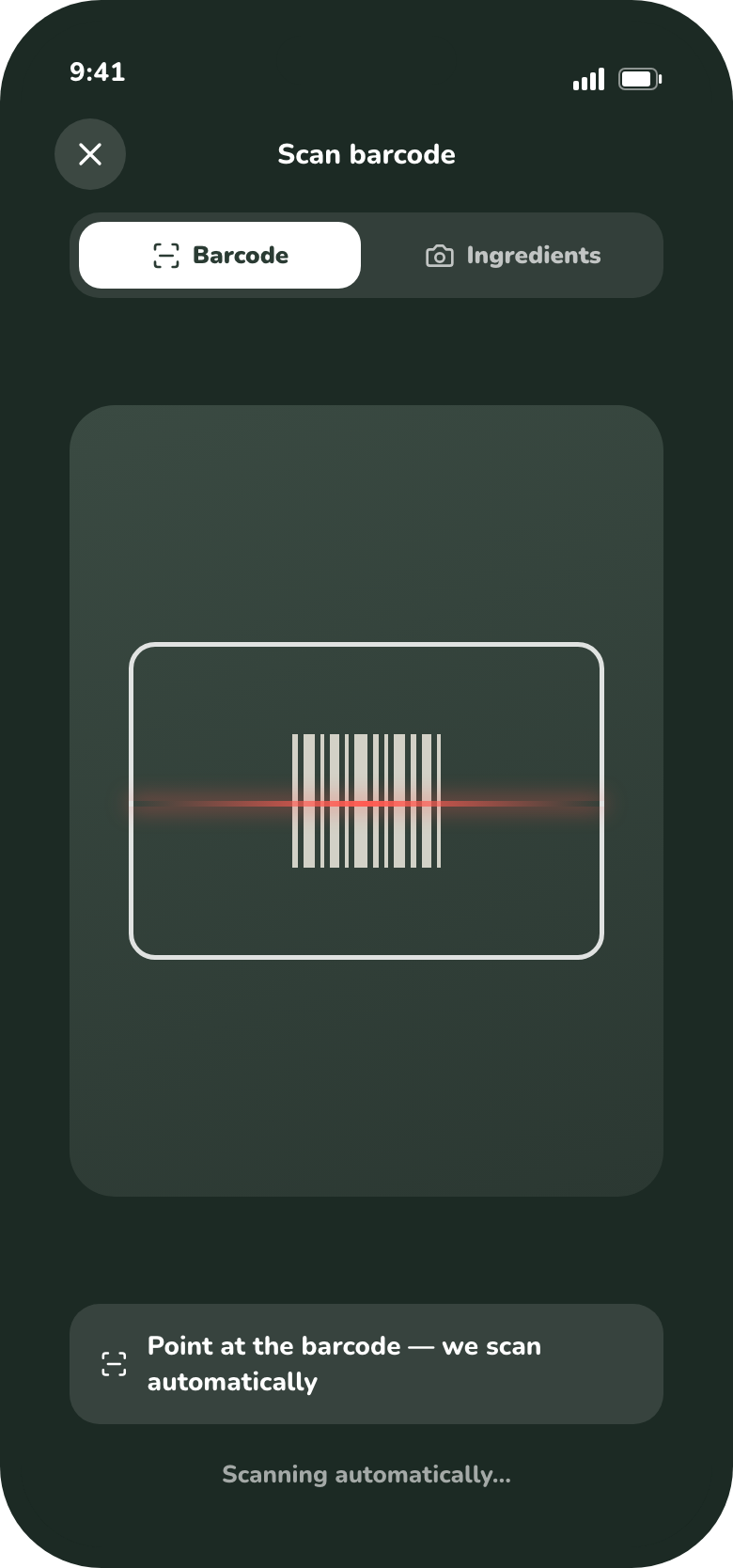
Center the barcode; GreenCheck reads it automatically. - 3Wait for the green checkWhen the code is read, the frame turns green and you’ll see “Barcode found.”
Tip: in dim light, tap the screen to focus, or move a little closer. Glossy or curved packaging can take an extra second.
Read the result
GreenCheck looks the product up and checks its ingredients for each child.
Then you’ll see a result card with a grade for every child.
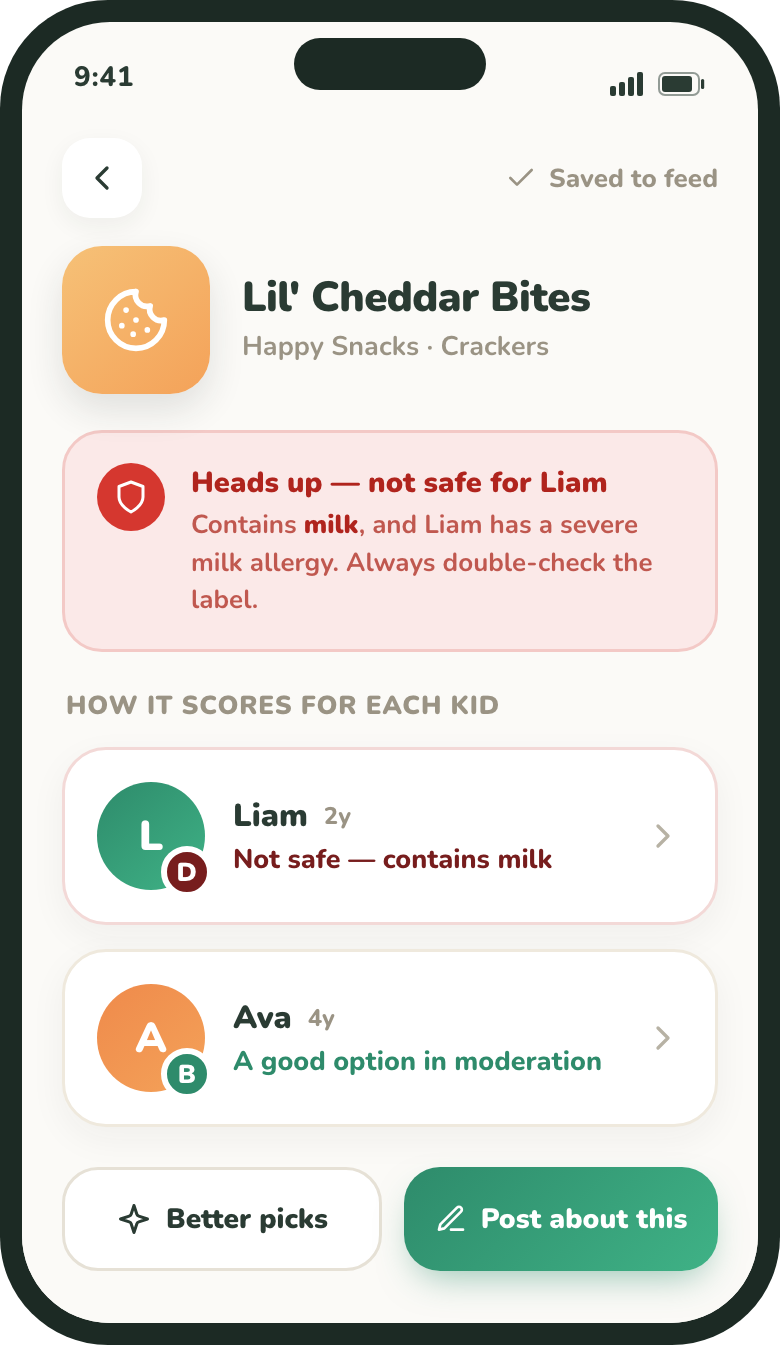
- A grade row for each child, with a one-line verdict.
- A red banner at the top if the product isn’t safe for one of your kids.
- Tap a child to see the ingredient-by-ingredient breakdown.
- “Better picks” and “Post about this” actions at the bottom.
Want to know how the grade is decided? See How scoring happens.
If a barcode won’t scan
- If nothing happens after a few seconds, tap the screen to focus and hold steady.
- If the barcode isn’t in our database yet, you’ll get options to capture or type the ingredients instead — see Capturing ingredients and Manually entering ingredients.
GreenCheck is a helper, not a guarantee. Always read the product label before giving a product to your child. See our Medical Disclaimer.