Community and posting
Last updated: June 25, 2026
Share what worked (and what didn’t) with other parents, and tag the products you scanned.
Overview
The Community tab is where GreenCheck parents share real-world experiences — which snacks were a hit, which caused a reaction, and what to watch for.
Browse the feed
Open the Community tab to read posts from other parents. Each post can show the product they scanned, the kids’ age band, and how it went. Tap the heart to like a post.
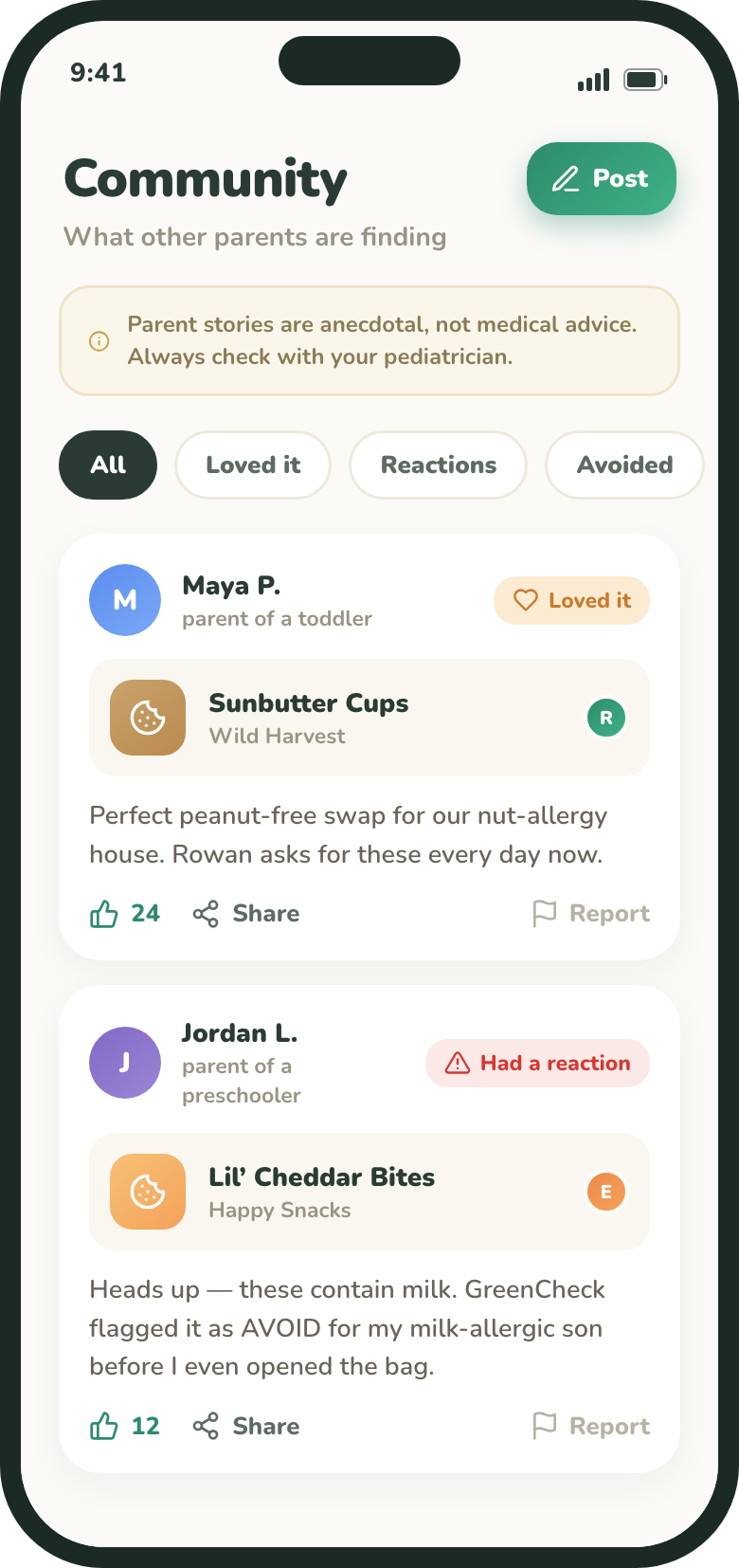
Write a post
- 1Tap “New post”Open the composer from the Community tab.
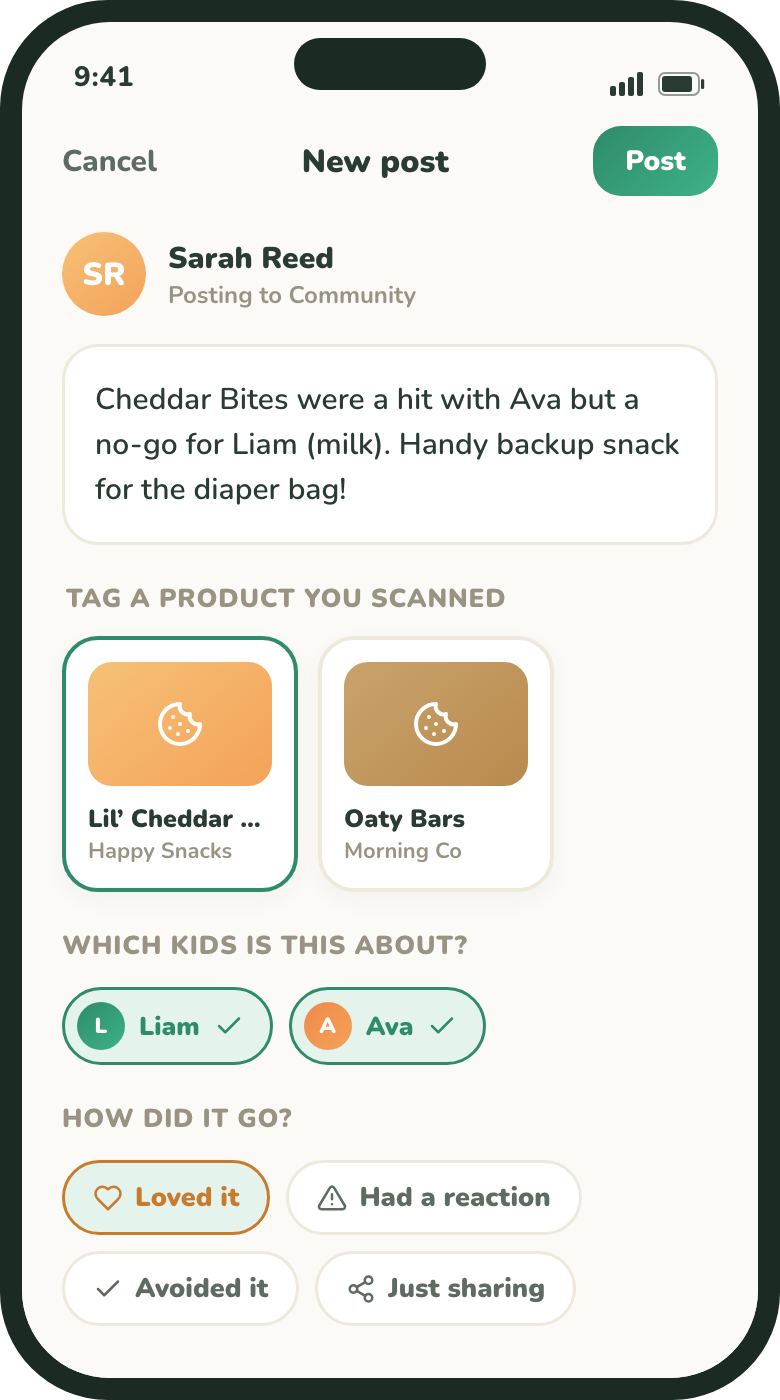
Composing a post. - 2Write what you foundUp to 280 characters.
- 3Tag a product (optional)Pick from your recent scans, or choose No product · just share.
- 4Choose which kids it’s aboutThis adds an age-band chip so parents with similar-age kids get context.
- 5Pick an outcomeLoved it, Had a reaction, Avoided it, or Just sharing.
- 6Tap “Post”Your post appears in the feed.
Sharing & guidelines
Posts can be opened on the web via a share link (greencheck.app/p/…). Every post passes through a safety filter — if yours is flagged, edit it and try again.
Parent stories are anecdotal, not medical advice. Always check with your pediatrician. See our Medical Disclaimer.